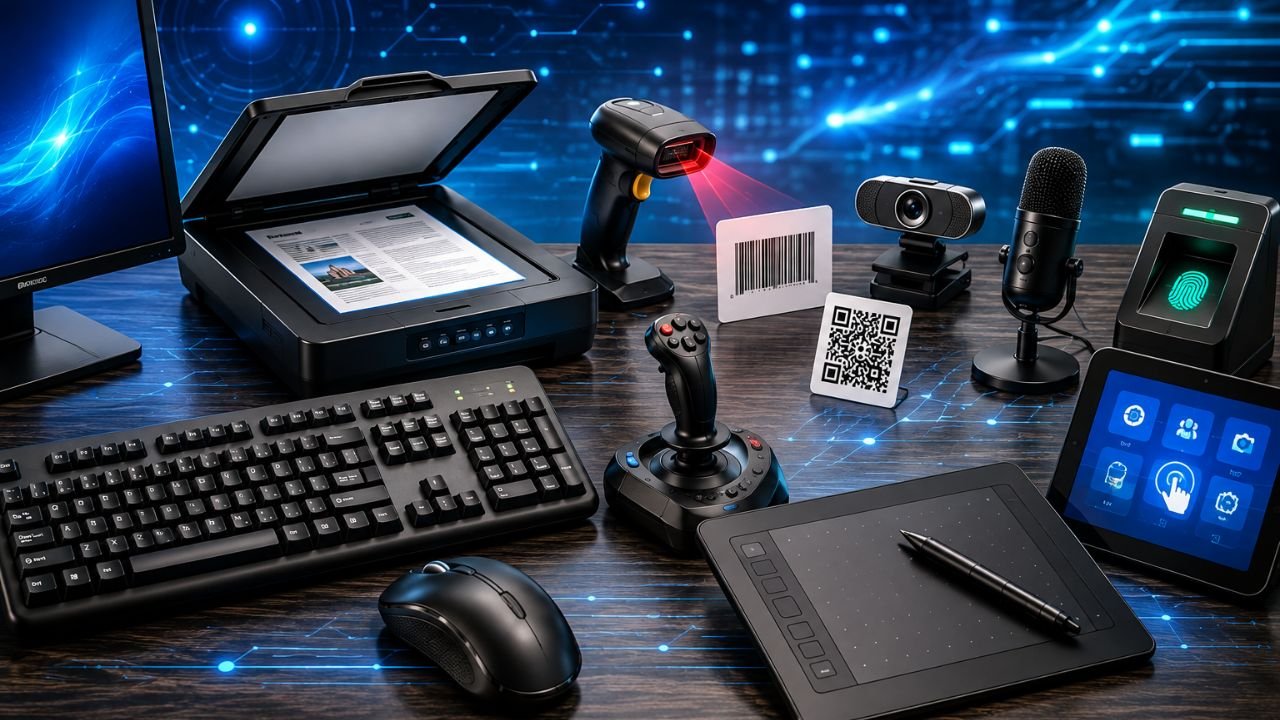
Input devices are one of the most important topics in Computer Awareness. Questions from keyboard, mouse, scanner, OMR, OCR, MICR, barcode reader, QR code, biometric sensor, webcam, microphone, graphics tablet, and other input devices are frequently asked in SSC, JKSSB, Banking, Railway, Defence, Police, State PSC, and other competitive examinations.
In this article, Exam Waves Coaching Academy explains all important input devices in very simple language, along with their uses, important facts, and exam-oriented points.
What is an input device?
An input device is a hardware device that is used to enter data and instructions into a computer.
It sends information from the user to the computer for processing.
Simple definition
Input Device = A device used to enter data into a computer.
For example:
- Keyboard
- Mouse
- Scanner
- Microphone
- Webcam
These devices help the computer receive information from the outside world.
Input devices of a computer
The main input devices are:
- Keyboard
- Mouse
- Trackball
- Joystick
- Light Pen
- Touch Screen
- Barcode Reader
- OMR
- MICR
- OCR
- Scanner
- Microphone
- Webcam
- Biometric Sensor
- Digitizer
- QR Code Reader
- Graphics Tablet
- Paddle
Classification of input devices
Input devices can be divided into different groups.
| Category | Devices |
|---|---|
| Text Input | Keyboard |
| Pointing Devices | Mouse, Trackball, Joystick, Light Pen, Touch Screen |
| Scanning Devices | Scanner, OCR, OMR, MICR, Barcode Reader, QR Code Reader |
| Audio & Video Input | Microphone, Webcam |
| Advanced Input Devices | Biometric Sensor, Digitizer, Graphics Tablet, Paddle |
This classification helps students remember the devices easily for competitive exams.
Keyboard
The keyboard is the most common input device of a computer.
It is used to:
- Type letters
- Enter numbers
- Give commands
- Enter data
Main sections of a keyboard
- Alphabet keys
- Number keys
- Function keys
- Arrow keys
- Numeric keypad
- Control keys
Types of keys on a keyboard
A keyboard contains different groups of keys, each with a specific function.
| Key Type | Function |
|---|---|
| Alphanumeric Keys | Used for typing letters (A–Z), numbers (0–9), and symbols |
| Function Keys (F1–F12) | Used to perform special functions in software programs |
| Home Key | Moves the cursor to the beginning of a line or document section |
| End Key | Moves the cursor to the end of a line |
| Enter Key | Starts a new line or confirms a command; also called the Return Key |
| Escape (Esc) Key | Cancels or aborts the current operation |
| Backspace Key | Deletes text to the left of the cursor |
| Delete Key | Deletes text or objects to the right of the cursor |
| Caps Lock Key | Types letters in capital (uppercase) form |
| Shift Key | Used to type capital letters and the upper symbols on keys |
| Alt Key | Alternate key used with other keys for shortcut commands |
| Ctrl Key | Used with other keys to perform control and shortcut operations |
Important keyboard facts
- The standard QWERTY keyboard contains 101 keys.
- The QWERTY keyboard layout was invented by Christopher Latham Sholes.
- The Shift, Ctrl, and Alt keys are called Modifier Keys because they modify the function of other keys.
- The Function Keys (F1–F12) are located at the top of the keyboard.
- The Enter Key is also known as the Return Key.
- The Backspace Key deletes characters to the left of the cursor, while the Delete Key deletes characters to the right of the cursor.
Mouse
The mouse is a pointing device. Invented by Douglas Engelbart in 1963.
It is used to:
- Move the pointer
- Select items
- Open files
- Drag and drop objects
Common mouse actions
- Left click : selects item.
- Right Click : To see properties of any file
- Double click : Used to open document or
- programme.
- Drag and Drop: Draging a file into folder
Trackball
A trackball is similar to a mouse.
Instead of moving the entire device, the user rotates a ball with the fingers.
Features
- Requires less desk space.
- Often used in specialized computer systems.
Joystick
A joystick is used to control movement on the screen.
Applications
- Computer games
- Flight simulators
- Industrial control systems
Light Pen
A light pen is a pen-shaped input device.
It is used to:
- Draw directly on the screen
- Select objects
- Design graphics
Touch Screen
A touch screen allows users to give input by touching the screen directly.
Common uses
- Smartphones
- Tablets
- ATM machines
- Information kiosks
Barcode Reader
A barcode reader reads information stored in barcodes.
Applications
- Supermarkets
- Shopping malls
- Libraries
- Inventory management
Important fact
A barcode contains data represented by parallel black and white lines.
OMR (Optical Mark Recognition)
OMR is used to detect marked bubbles or boxes on paper.
Common applications
- Entrance examinations
- School examinations
- Surveys
- Voting systems
Important fact
OMR reads marks, not printed text.
MICR (Magnetic Ink Character Recognition)
MICR is mainly used in the banking sector.
It reads characters printed with magnetic ink.
Applications
- Bank cheque processing
- Financial document verification
Important fact
MICR is commonly used on cheques.
OCR (Optical Character Recognition)
OCR converts printed text into editable digital text.
Applications
- Digitizing books
- Scanning documents
- Office automation
Example
A printed page can be converted into a Microsoft Word document.
Scanner
A scanner converts physical documents and images into digital form.
Types of scanners
- Flatbed scanner
- Handheld scanner
- Drum scanner
Uses
- Document scanning
- Photo scanning
- Record digitization
Microphone
A microphone is an audio input device.
It converts sound into digital signals.
Applications
- Voice recording
- Online meetings
- Speech recognition
- Voice commands
Webcam
A webcam captures images and video.
Uses
- Video conferencing
- Online classes
- Live streaming
- Security monitoring
Biometric Sensor
A biometric sensor identifies a person based on biological features.
Common biometric methods
- Fingerprint
- Face recognition
- Iris recognition
- Retina scan
Applications
- Mobile phone security
- Attendance systems
- Access control
- Banking authentication
Digitizer
A digitizer converts drawings or handwritten input into digital data.
Uses
- Engineering design
- Architectural drawings
- Digital mapping
- Computer-aided design (CAD)
QR Code Reader
A QR code reader reads Quick Response (QR) codes.
Features
- Stores more information than a barcode.
- Can contain website links, contact information, payment data, and text.
Common uses
- Digital payments
- Product information
- Ticket verification
- Website access
Graphics Tablet
A graphics tablet is used by artists and designers.
It allows users to draw using a stylus (digital pen).
Applications
- Digital art
- Animation
- Graphic design
- Photo editing
Paddle
A paddle is an input controller used mainly in gaming and specialized control systems.
It is used for controlling movement and direction in certain applications.
Difference between OCR, OMR, and MICR
| Feature | OCR | OMR | MICR |
|---|---|---|---|
| Reads | Printed text | Marked bubbles | Magnetic characters |
| Output | Editable text | Detected marks | Bank characters |
| Common Use | Document conversion | Exam answer sheets | Cheque processing |
This table is very important for competitive examinations.
Difference between Barcode and QR Code
| Barcode | QR Code |
|---|---|
| Stores less data | Stores more data |
| One-dimensional | Two-dimensional |
| Black and white lines | Square pattern |
| Product identification | Payments, websites, tickets |
Important facts for competitive exams
- Keyboard is the most common input device.
- Mouse is a pointing device.
- Trackball works by rotating a ball.
- Joystick is used in games and simulations.
- Touch screen accepts input through touch.
- Barcode readers are used in shopping systems.
- OMR reads marked bubbles.
- MICR is used in banks.
- OCR converts printed text into editable text.
- Scanner converts paper documents into digital form.
- Microphone captures audio input.
- Webcam captures video input.
- Biometric sensors use fingerprints and facial recognition.
- Graphics tablets are used for digital drawing.
- QR codes store more information than barcodes.
Conclusion
Thus in conclusion, Input devices are hardware devices that help a computer receive data and instructions from the user. Devices such as keyboard, mouse, scanner, OMR, OCR, MICR, barcode reader, QR code reader, microphone, webcam, and biometric sensors are important parts of a computer system. Understanding their working, uses, and differences is essential for scoring well in SSC, JKSSB, Banking, Railway, Defence, Police, UPSC, and other competitive examinations.
Top 30 MCQ’s on Input Devices of a Computer for all Competitive Exams 2026
Q1. Which of the following statements correctly describe an input device and its role in a computer system?
- An input device is a hardware component of a computer.
- It is used to enter data and instructions into the computer.
- It sends information from the user to the computer for processing.
- It displays the final processed result to the user.
A) 1 and 2 only
B) 1, 2 and 3 only
C) 2, 3 and 4 only
D) 1, 2, 3 and 4
Answer: B
Q2. A computer user wants to type a report, enter numerical data, and provide commands to the computer. Which of the following input devices is most suitable for performing all these tasks efficiently?
A) Scanner
B) Keyboard
C) Webcam
D) Barcode Reader
Answer: B
Q3. Which of the following statements are correct regarding the keyboard?
- It is the most common input device.
- It is used to enter letters, numbers, symbols, and commands.
- It is classified under text input devices.
- It is mainly used for printing documents.
A) 1 and 2 only
B) 1, 2 and 3 only
C) 2, 3 and 4 only
D) 1, 2, 3 and 4
Answer: B
Q4. Which of the following key groups are present on a standard keyboard and help users perform different types of operations while working on a computer?
- Alphabet keys
- Number keys
- Function keys
- Arrow keys
- Numeric keypad
- Control keys
A) 1, 2 and 3 only
B) 2, 3, 4 and 5 only
C) 1, 2, 3, 4 and 5 only
D) 1, 2, 3, 4, 5 and 6
Answer: D
Q5. Which of the following statements correctly explain the functions of important keyboard keys?
- Home Key moves the cursor to the beginning of a line.
- End Key moves the cursor to the end of a line.
- Enter Key is also known as the Return Key.
- Escape Key is used to cancel or abort the current operation.
A) 1 and 2 only
B) 1, 2 and 3 only
C) 2, 3 and 4 only
D) 1, 2, 3 and 4
Answer: D
Q6. Which of the following statements correctly differentiate the Backspace Key and the Delete Key?
A) Both keys delete characters to the left of the cursor.
B) Backspace deletes to the left, while Delete removes characters to the right of the cursor.
C) Delete removes characters to the left, while Backspace removes characters to the right.
D) Both keys perform the same function.
Answer: B
Q7. Which of the following statements are correct regarding Modifier Keys?
- Shift is a Modifier Key.
- Ctrl is a Modifier Key.
- Alt is a Modifier Key.
- Modifier Keys change the function of other keys when used together.
A) 1 and 2 only
B) 1, 2 and 3 only
C) 2, 3 and 4 only
D) 1, 2, 3 and 4
Answer: D
Q8. Which of the following statements correctly describe the QWERTY keyboard?
- It is the standard keyboard layout.
- It contains 101 keys.
- It was invented by Christopher Latham Sholes.
A) 1 only
B) 1 and 2 only
C) 2 and 3 only
D) 1, 2 and 3
Answer: D
Q9. Which of the following statements correctly describe the mouse and its functions?
- The mouse is a pointing device.
- It is used to move the pointer on the screen.
- It can be used to select items, open files, and drag objects.
- It was invented by Douglas Engelbart in 1963.
A) 1 and 2 only
B) 1, 2 and 3 only
C) 2, 3 and 4 only
D) 1, 2, 3 and 4
Answer: D
Q10. Which mouse operation is specifically used to move a file from one folder to another by holding and moving it with the pointer?
A) Left Click
B) Right Click
C) Double Click
D) Drag and Drop
Answer: D
Q11. Which of the following statements correctly explain the working principle of a trackball?
- A trackball is similar to a mouse.
- The user rotates a ball instead of moving the entire device.
- It generally requires less desk space than a mouse.
A) 1 only
B) 1 and 2 only
C) 2 and 3 only
D) 1, 2 and 3
Answer: D
Q12. A pilot training institute uses a device to simulate aircraft movement and control direction on the screen. Which input device is most suitable for this purpose?
A) Trackball
B) Joystick
C) Touch Screen
D) Graphics Tablet
Answer: B
Q13. Which of the following statements correctly describe a light pen?
- It is a pen-shaped input device.
- It can be used to draw directly on the screen.
- It is useful for graphic designing and object selection.
A) 1 only
B) 1 and 2 only
C) 2 and 3 only
D) 1, 2 and 3
Answer: D
Q14. Which of the following devices allows users to interact directly with the display screen by touching it and is commonly used in smartphones, tablets, ATMs, and information kiosks?
A) Light Pen
B) Mouse
C) Touch Screen
D) Joystick
Answer: C
Q15. Which of the following statements correctly explain the use of a barcode reader?
- It reads information stored in barcodes.
- Barcodes are represented by parallel black and white lines.
- Barcode readers are widely used in supermarkets and inventory management systems.
A) 1 only
B) 1 and 2 only
C) 2 and 3 only
D) 1, 2 and 3
Answer: D
Q16. Which of the following statements correctly describe OMR technology?
- OMR stands for Optical Mark Recognition.
- It detects marked bubbles or boxes on paper.
- It is commonly used in examination answer sheets.
- It converts printed text into editable text.
A) 1 and 2 only
B) 1, 2 and 3 only
C) 2, 3 and 4 only
D) 1, 2, 3 and 4
Answer: B
Q17. Which of the following statements correctly explain the purpose of MICR?
- MICR stands for Magnetic Ink Character Recognition.
- It is mainly used in the banking sector.
- It reads characters printed with magnetic ink.
- It is commonly used for cheque processing.
A) 1 and 2 only
B) 1, 2 and 3 only
C) 2, 3 and 4 only
D) 1, 2, 3 and 4
Answer: D
Q18. Which of the following statements correctly explain the purpose of OCR technology?
- OCR converts printed text into editable digital text.
- It is used for digitizing books and documents.
- It is useful in office automation.
A) 1 only
B) 1 and 2 only
C) 2 and 3 only
D) 1, 2 and 3
Answer: D
Q19. Which of the following statements correctly differentiate OCR, OMR, and MICR?
A) OCR reads marks, OMR reads text, MICR reads images.
B) OCR reads printed text, OMR reads marked bubbles, MICR reads magnetic characters.
C) OCR and OMR perform identical functions.
D) MICR is mainly used for graphics design.
Answer: B
Q20. Which of the following are types of scanners mentioned in the article?
- Flatbed Scanner
- Handheld Scanner
- Drum Scanner
A) 1 only
B) 1 and 2 only
C) 2 and 3 only
D) 1, 2 and 3
Answer: D
Q21. Which of the following statements correctly describe the functions of a scanner?
- It converts paper documents into digital form.
- It can scan photographs.
- It is used for record digitization.
A) 1 only
B) 1 and 2 only
C) 2 and 3 only
D) 1, 2 and 3
Answer: D
Q22. A device converts human speech into digital signals for online meetings, voice recording, and speech recognition. Which device performs this function?
A) Speaker
B) Webcam
C) Microphone
D) Scanner
Answer: C
Q23. Which of the following statements correctly describe a webcam?
- It captures images and video.
- It is used for video conferencing.
- It is used in online classes and live streaming.
- It can be used for security monitoring.
A) 1 and 2 only
B) 1, 2 and 3 only
C) 2, 3 and 4 only
D) 1, 2, 3 and 4
Answer: D
Q24. Which of the following biometric identification methods are mentioned in the article?
- Fingerprint recognition
- Face recognition
- Iris recognition
- Retina scanning
A) 1 and 2 only
B) 1, 2 and 3 only
C) 2, 3 and 4 only
D) 1, 2, 3 and 4
Answer: D
Q25. Which of the following statements correctly describe the applications of biometric sensors?
- Mobile phone security
- Attendance systems
- Access control
- Banking authentication
A) 1 and 2 only
B) 1, 2 and 3 only
C) 2, 3 and 4 only
D) 1, 2, 3 and 4
Answer: D
Q26. Which input device converts drawings or handwritten input into digital data and is commonly used in engineering design, architectural drawings, and CAD applications?
A) Graphics Tablet
B) Digitizer
C) Scanner
D) Joystick
Answer: B
Q27. Which of the following statements correctly describe QR Code Readers?
- They read Quick Response (QR) codes.
- QR codes can store more data than barcodes.
- QR codes can contain website links, payment information, and text.
A) 1 only
B) 1 and 2 only
C) 2 and 3 only
D) 1, 2 and 3
Answer: D
Q28. Which of the following statements correctly compare barcodes and QR codes?
- QR codes store more data.
- Barcodes are one-dimensional.
- QR codes are two-dimensional.
- QR codes are commonly used for digital payments.
A) 1 and 2 only
B) 2 and 3 only
C) 1, 2 and 3 only
D) 1, 2, 3 and 4
Answer: D
Q29. Which input device is specifically designed for artists and graphic designers and allows drawing with a stylus?
A) Light Pen
B) Graphics Tablet
C) Digitizer
D) Touch Screen
Answer: B
Q30. Match List I with List II.
List I
- OCR
- OMR
- MICR
- Barcode Reader
List II
a. Cheque processing
b. Product scanning
c. Printed text conversion
d. Exam answer sheets
A) 1-c, 2-d, 3-a, 4-b
B) 1-d, 2-c, 3-b, 4-a
C) 1-a, 2-b, 3-c, 4-d
D) 1-b, 2-a, 3-d, 4-c
Answer: A