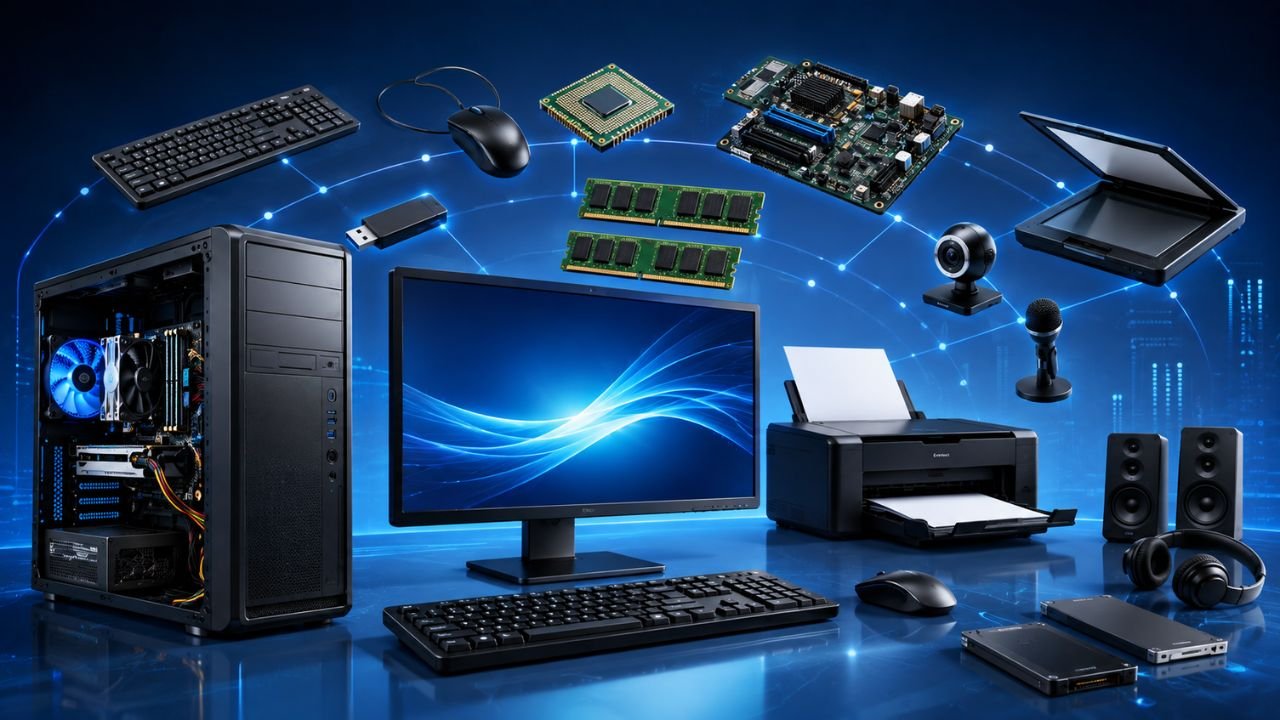
The components of a computer are the basic parts that help a computer accept data, process it, store it, and produce the final result. Every computer system works through the Input → Process → Output cycle. Understanding the components of a computer is one of the most important topics for JKSSB, SSC, Banking, Railway, Defence, and other competitive exams. According to the basic computer structure, a computer accepts data through input devices, processes it in the CPU, stores it in memory, and displays the result through output devices.
What are the components of a computer?
A computer is made up of several important components that work together to perform different tasks. The main components are:
- Input unit
- Central processing unit (CPU)
- Memory unit
- Storage unit
- Output unit
These components are connected and controlled by the CPU, which acts as the brain of the computer. The computer structure follows the Input → Process → Output concept, where data is accepted, processed, and then converted into useful information.
Basic structure of a computer
The working of a computer can be understood with a simple flow:
Input Devices → CPU (Processing) → Output Devices
The processed data can also be stored permanently in secondary memory. This structure helps the computer perform calculations, logical operations, data storage, and communication between different hardware components.
Input unit
The input unit is responsible for entering data and instructions into the computer. It accepts information from the user and sends it to the CPU for processing.
Common input devices
- Keyboard
- Mouse
- Scanner
- Microphone
- Webcam
- Touch screen
- Barcode reader
- OCR
- OMR
- MICR
These devices convert user input into a form that the computer can understand and process.
Central processing unit (CPU)
The CPU (Central Processing Unit) is the most important component of a computer. It performs all calculations, logical operations, and control functions. It receives data from input devices, processes it, and sends the result to output devices.
The CPU consists of three major components:
- Arithmetic Logic Unit (ALU)
- Control Unit (CU)
- Registers
Arithmetic Logic Unit (ALU)
The Arithmetic Logic Unit (ALU) performs all arithmetic and logical operations.
Arithmetic operations
- Addition
- Subtraction
- Multiplication
- Division
Logical operations
- Comparison
- Matching
- Decision making
The ALU is responsible for performing calculations and logical analysis required during data processing.
Control Unit (CU)
The Control Unit (CU) controls and coordinates all activities inside the computer.
Its main functions are:
- Fetching instructions from memory
- Decoding the instructions
- Controlling the execution of instructions
- Managing communication between different computer components
The CU acts like a supervisor that controls the flow of data between memory, ALU, registers, and input/output devices.
Registers
Registers are very small and extremely fast memory locations inside the CPU. They temporarily store data and instructions during processing.
Important registers
Memory Address Register (MAR)
Stores the address location of active memory.
Instruction Register (IR)
Holds the current instruction that is being executed.
Index Register
Also called the base register and used for address modification.
Accumulator Register
Stores information taken from memory and is one of the most frequently used registers.
Memory Data Register (MDR)
Also known as the Memory Buffer Register. It stores data being transferred to and from memory.
Program Counter (PC)
Stores the address of the next instruction to be fetched and executed.
These registers are essential for fast CPU operation and efficient instruction execution.
Memory unit
The memory unit stores data, instructions, and processing results. It helps the CPU access information quickly.
Memory is mainly divided into:
Primary memory
- RAM
- ROM
Secondary memory
- Hard disk
- SSD
- Optical disks
- Magnetic disks
- Cloud storage
Primary memory is used during processing, while secondary memory stores data permanently.
Storage unit
The storage unit permanently stores data, programs, and files even when the computer is turned off.
Examples include:
- Hard Disk Drive (HDD)
- Solid State Drive (SSD)
- Optical Disks
- USB Storage Devices
The storage unit preserves information for future use and supports long-term data retention.
Output unit
The output unit displays the processed information to the user.
Common output devices include:
- Monitor
- Printer
- Speaker
- Headphones
- Plotter
- Projector
The monitor displays soft copies, while printers generate hard copies of documents.
CPU instruction cycle
The CPU processes every instruction through a sequence called the instruction cycle.
Fetch
Retrieves instructions from RAM.
Decode
Identifies the opcode and operand of the instruction.
Execute
Performs the actual operation.
Store
Stores the result in registers.
This cycle is repeated continuously for every instruction executed by the CPU.
Computer buses
Computer components communicate through buses.
Address bus
- Carries memory addresses
- Unidirectional
Data bus
- Transfers data between processor and other components
- Bidirectional
Control bus
- Sends control signals
- Bidirectional
These buses enable communication between the CPU, memory, and input/output devices.
Functions of computer components
| Component | Main Function |
|---|---|
| Input Unit | Accepts data and instructions |
| CPU | Processes data and controls operations |
| ALU | Performs arithmetic and logical operations |
| CU | Controls and coordinates all computer activities |
| Registers | Stores temporary data and instructions |
| Memory Unit | Stores data and programs |
| Storage Unit | Stores data permanently |
| Output Unit | Displays the final result |
Conclusion
The components of a computer work together to perform all computing operations efficiently. The input unit accepts data, the CPU processes it, the memory stores it temporarily, the storage unit keeps it permanently, and the output unit displays the result. Understanding ALU, CU, Registers, Memory, Storage, and Output devices is essential for scoring well in computer awareness sections of competitive examinations.
Important MCQs on Components of a Computer for all Exams
Q1. Which of the following correctly represents the basic working cycle of a computer?
A) Process → Input → Output
B) Input → Output → Process
C) Input → Process → Output
D) Output → Input → Process
Answer: C
Q2. Which of the following are the main components of a computer?
- Input Unit
- CPU
- Memory Unit
- Storage Unit
- Output Unit
A) 1, 2 and 3 only
B) 2, 3 and 4 only
C) 1, 2, 3 and 5 only
D) 1, 2, 3, 4 and 5
Answer: D
Q3. The CPU is called the brain of the computer because it:
A) Stores all files permanently
B) Controls and processes all computer operations
C) Displays information on the monitor
D) Accepts data directly from the internet
Answer: B
Q4. Which of the following statements are correct regarding the Input Unit?
- It accepts data and instructions.
- It sends data to the CPU for processing.
- It permanently stores user data.
A) 1 only
B) 1 and 2 only
C) 2 and 3 only
D) 1, 2 and 3
Answer: B
Q5. Which one of the following is not an input device?
A) OCR
B) MICR
C) Projector
D) OMR
Answer: C
Q6. The CPU consists of which of the following major components?
A) ALU, CU and Registers
B) RAM, ROM and Cache
C) HDD, SSD and ROM
D) Monitor, Keyboard and Mouse
Answer: A
Q7. Which of the following operations are performed by the Arithmetic Logic Unit (ALU)?
- Addition
- Comparison
- Decision making
- Fetching instructions from memory
A) 1 and 2 only
B) 1, 2 and 3 only
C) 2, 3 and 4 only
D) 1, 2, 3 and 4
Answer: B
Q8. Which component is responsible for fetching, decoding, and controlling the execution of instructions?
A) ALU
B) Memory Unit
C) Control Unit
D) Storage Unit
Answer: C
Q9. The Control Unit acts mainly as a:
A) Permanent storage device
B) Supervisor that controls the flow of data
C) Printing device
D) Secondary memory
Answer: B
Q10. Which register stores the address of the next instruction to be fetched and executed?
A) MAR
B) MDR
C) PC
D) IR
Answer: C
Q11. Which of the following statements are correct regarding registers?
- They are very small memory locations inside the CPU.
- They are extremely fast.
- They permanently store user files.
A) 1 only
B) 1 and 2 only
C) 2 and 3 only
D) 1, 2 and 3
Answer: B
Q12. The Instruction Register (IR) is used to:
A) Store the address of memory
B) Hold the current instruction being executed
C) Store data permanently
D) Count arithmetic operations
Answer: B
Q13. The Memory Address Register (MAR) stores:
A) The result of ALU operations
B) The address location of active memory
C) The next instruction
D) Input data from the keyboard
Answer: B
Q14. Which register is also known as the Memory Buffer Register?
A) IR
B) MAR
C) MDR
D) PC
Answer: C
Q15. Memory in a computer is mainly divided into:
A) Input and Output memory
B) Primary and Secondary memory
C) Cache and Bus memory
D) Internal and External memory only
Answer: B
Q16. Which of the following are examples of secondary memory according to the article?
- SSD
- Optical Disks
- Cloud Storage
- RAM
A) 1 and 2 only
B) 1, 2 and 3 only
C) 2, 3 and 4 only
D) 1, 3 and 4 only
Answer: B
Q17. The storage unit is mainly used to:
A) Perform arithmetic operations
B) Store data permanently
C) Decode instructions
D) Control input devices
Answer: B
Q18. Which of the following are output devices?
- Monitor
- Plotter
- Projector
- Speaker
A) 1 and 2 only
B) 2 and 3 only
C) 1, 2 and 4 only
D) 1, 2, 3 and 4
Answer: D
Q19. Arrange the stages of the CPU instruction cycle in the correct order.
- Execute
- Fetch
- Store
- Decode
A) 2 → 4 → 1 → 3
B) 2 → 1 → 4 → 3
C) 4 → 2 → 1 → 3
D) 1 → 2 → 4 → 3
Answer: A
Q20. Which of the following statements are correct regarding computer buses?
- Address Bus is unidirectional.
- Data Bus is bidirectional.
- Control Bus is bidirectional.
A) 1 only
B) 1 and 2 only
C) 2 and 3 only
D) 1, 2 and 3
Answer: D